

Hey there! As an advertising CNC router supplier, I often get asked about the file formats these machines can support. It's a crucial question because the right file format can make or break your project. So, let's dive into the details and explore the various file formats that an advertising CNC router can handle.
Common File Formats Supported
DXF (Drawing Exchange Format)
DXF is one of the most widely used file formats in the CNC world. It's an open - standard format developed by Autodesk, originally for AutoCAD. This format is great because it can represent 2D and 3D vector data. For advertising projects, it's super useful when you need to cut or engrave precise shapes and letters. Most advertising CNC routers can easily import DXF files, and they can handle different versions of the format. Whether you're creating a sign with intricate lettering or a custom - designed logo, DXF files ensure that the router can accurately follow the design. You can create DXF files using a variety of CAD software, making it a versatile choice for designers.
AI (Adobe Illustrator)
AI files are native to Adobe Illustrator, a popular graphic design software. Many designers prefer working in Adobe Illustrator because of its powerful vector - editing tools. Advertising CNC routers can support AI files, which is a huge plus. When you save your design as an AI file, it retains all the vector information, such as colors, gradients, and shapes. This means that the router can reproduce your design with high precision. If you're an advertising agency or a designer who uses Adobe Illustrator regularly, you can directly send your AI files to the CNC router without having to convert them to another format, saving you time and effort.
PLT (HPGL Plotter File)
HPGL (Hewlett - Packard Graphics Language) is an older but still relevant file format. PLT files are used to control pen - plotters and CNC routers. They contain instructions for the machine to move the cutting or engraving tool along a path. For advertising CNC routers, PLT files are great for simple designs that mainly consist of lines and curves. They are relatively small in size, which means they can be transferred quickly to the router. If you're working on a project where you need to cut out basic shapes or draw simple patterns, a PLT file can do the job efficiently.
SVG (Scalable Vector Graphics)
SVG is a web - friendly vector file format. It's XML - based, which means it can be easily edited using text editors. SVG files are scalable without losing quality, making them ideal for advertising projects. Whether you need to create a small logo or a large - scale billboard, an SVG file can be resized as needed. Advertising CNC routers can support SVG files, allowing you to use designs created on the web or in other SVG - compatible software. This format is also great for sharing designs, as it can be opened in most web browsers.
Less Common but Still Supported Formats
EPS (Encapsulated PostScript)
EPS is a file format that combines vector and raster graphics. It's often used in the printing and graphic design industries. Advertising CNC routers can handle EPS files, which is useful if you have designs that include both vector - based elements and high - resolution images. EPS files can be saved with different levels of compression, so you need to make sure that the file is saved in a format that the router can read. If you're working on a project that requires detailed images along with vector shapes, an EPS file might be the right choice.
PDF (Portable Document Format)
PDF is a well - known file format that can contain text, images, and vector graphics. While it's mainly used for document sharing, advertising CNC routers can also support PDF files. However, not all PDF files are created equal. Some PDFs might have complex formatting or embedded fonts that could cause issues. It's best to save your PDF files in a simple, vector - based format if you plan to use them with a CNC router. For example, if you have a design that includes text and simple graphics, you can save it as a PDF and send it to the router.
Why File Format Compatibility Matters
The compatibility of file formats is crucial for the success of your advertising project. If you use a file format that your CNC router doesn't support, you might end up with a distorted or incomplete design. For instance, if you try to send a raster - based file (like a JPEG) to a router that only works with vector files, the router won't be able to cut or engrave the design accurately. On the other hand, using a supported vector file format ensures that the router can follow the design precisely, resulting in high - quality advertising products.
Our Advertising CNC Router Offerings
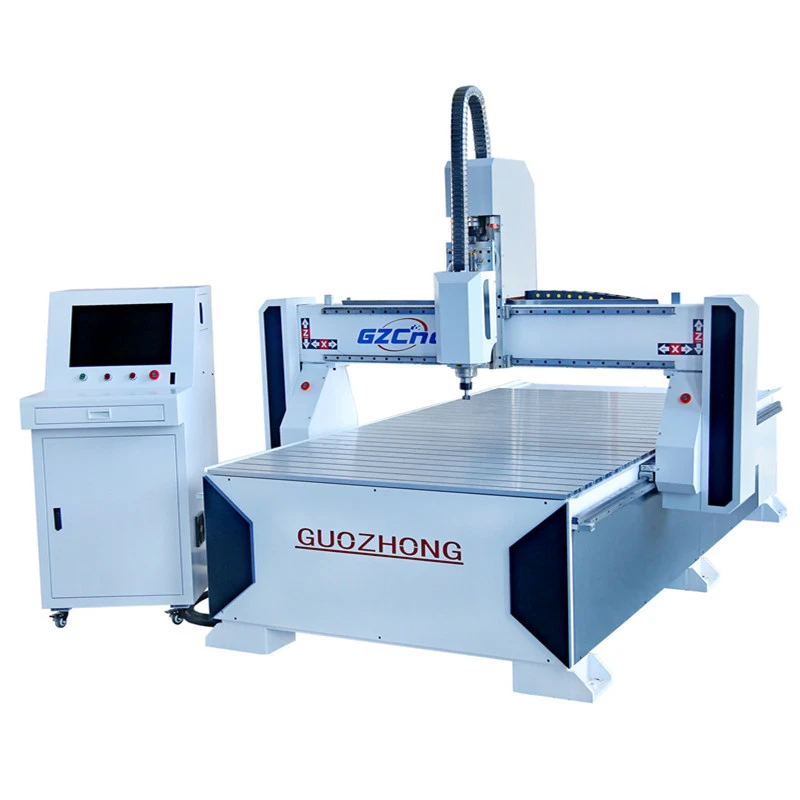
We offer a range of advertising CNC routers, including the Acrylic Engraving Machine, Advertising CNC Engraving Machine, and KT Plate CNC Cutting Machine. These machines are designed to support a wide variety of file formats, giving you the flexibility to work with different design tools and software. Whether you're a small - scale advertising shop or a large - scale production facility, our routers can meet your needs.

How to Prepare Your Files for the Router
When preparing your files for the advertising CNC router, there are a few things to keep in mind. First, make sure that your design is in a vector format. Vector files are more accurate and can be scaled without losing quality. Second, check the file size. Large files can take a long time to transfer and process, so try to optimize your designs to reduce the file size. Finally, double - check the file format compatibility. If you're not sure which format to use, our technical support team can help you choose the right one.
Conclusion
In conclusion, advertising CNC routers can support a wide range of file formats, including DXF, AI, PLT, SVG, EPS, and PDF. Each format has its own advantages, and choosing the right one depends on your specific project requirements. Our range of advertising CNC routers, such as the Acrylic Engraving Machine, Advertising CNC Engraving Machine, and KT Plate CNC Cutting Machine, are designed to handle these formats efficiently.
If you're interested in purchasing an advertising CNC router or have any questions about file format compatibility, feel free to reach out. We're here to help you bring your advertising designs to life. Don't hesitate to contact us for more information and to start a purchasing discussion.
References
- Wikipedia articles on file formats such as DXF, AI, PLT, SVG, EPS, and PDF.
- Industry - specific forums and discussions on CNC router technology.


