

As a supplier of multi head CNC routers, I often receive inquiries from customers about various aspects of our machines, and one question that comes up quite frequently is about the air consumption of a multi head CNC router equipped with an air - assist system. In this blog post, I'll delve into this topic to provide you with a comprehensive understanding.
Understanding the Air - Assist System in Multi Head CNC Routers
Before we discuss air consumption, it's essential to understand what an air - assist system is and why it's used in multi head CNC routers. An air - assist system is a crucial component that enhances the performance of the router during the cutting and engraving processes. It works by blowing a high - pressure stream of air onto the cutting or engraving area. This has several benefits:
Firstly, it helps to remove debris and chips generated during the machining process. By clearing away the waste material, the air - assist system ensures that the cutting tools remain sharp and the quality of the finished product is high. Secondly, it can help to cool the cutting tool, which reduces wear and tear and extends the tool's lifespan. Additionally, the air flow can also prevent the accumulation of heat in the workpiece, which is especially important when working with heat - sensitive materials.
Factors Affecting Air Consumption
The air consumption of a multi head CNC router with an air - assist system is influenced by several factors:
Number of Heads
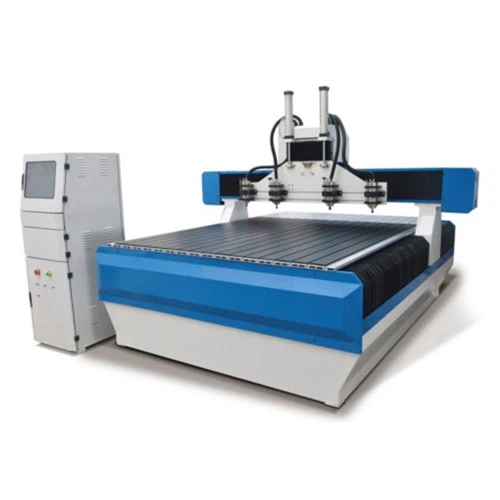
The more heads a CNC router has, the higher the air consumption is likely to be. Each head requires a certain amount of air to operate the air - assist function effectively. For example, a 4 Axis Multi Head CNC Router with multiple cutting heads will need more air compared to a single - head router. This is because each head needs its own supply of air to blow away debris and perform the other functions of the air - assist system.
Air Pressure Setting
The air pressure setting is another significant factor. Higher air pressure means more air is being forced through the system. When you increase the air pressure, the air - assist system can blow away larger and heavier debris more effectively, but it also consumes more air. Operators need to find a balance between the required air pressure for the specific machining task and the overall air consumption. For instance, if you're working on a delicate engraving project, you may not need as high an air pressure as when cutting through thick and dense materials.
Cutting Speed and Feed Rate
The cutting speed and feed rate of the CNC router also impact air consumption. When the router is operating at a high cutting speed or feed rate, more debris is generated in a shorter period. To keep the cutting area clean and the tool cool, the air - assist system needs to work harder, which results in increased air consumption. Conversely, a slower cutting speed and feed rate will generally lead to less debris and lower air consumption.
Type of Material
Different materials produce different amounts of debris during the machining process. For example, soft materials like wood may generate fine dust, while harder materials like metal or plastic can produce larger chips. Materials that generate more debris require the air - assist system to work more intensively, thus consuming more air. A 2140 CNC Router working on a metal sheet will likely consume more air than when it's cutting a wooden board due to the nature of the debris produced.
Measuring Air Consumption
To measure the air consumption of a multi head CNC router with an air - assist system, you can use an air flow meter. This device is installed in the air supply line to the router. It measures the volume of air passing through the system over a specific period, usually in cubic feet per minute (CFM) or liters per minute (LPM).
It's important to note that the air consumption can vary depending on the operating conditions. Therefore, it's recommended to measure the air consumption under different scenarios, such as different cutting speeds, air pressure settings, and materials. This will give you a more accurate understanding of the router's air requirements.
Calculating Approximate Air Consumption
While it's difficult to provide an exact figure for the air consumption of a multi head CNC router, we can make some approximate calculations based on general industry standards.
On average, a single - head CNC router with an air - assist system may consume around 5 - 10 CFM (cubic feet per minute) of air at a standard air pressure of around 80 - 100 PSI (pounds per square inch). For a multi head CNC router, you can multiply this figure by the number of heads. For example, a 4 - head CNC router could consume approximately 20 - 40 CFM under similar conditions.
However, these are just rough estimates. As mentioned earlier, factors such as air pressure, cutting speed, and material type can significantly affect the actual air consumption.
Managing Air Consumption
To manage air consumption effectively, here are some tips:

Optimize Air Pressure
Regularly check and adjust the air pressure settings according to the machining task. As mentioned before, using the minimum air pressure required for the job can help reduce air consumption without sacrificing the quality of the work.
Maintain the Air - Assist System
Keep the air - assist system clean and well - maintained. A clogged air nozzle or a leak in the air supply line can lead to inefficient air usage and increased consumption. Regularly inspect and clean the nozzles and check for any leaks in the system.

Select the Right Cutting Parameters
Choose the appropriate cutting speed and feed rate for the material being processed. By optimizing these parameters, you can reduce the amount of debris generated and thus lower the air consumption of the air - assist system.
Conclusion
In conclusion, the air consumption of a multi head CNC router with an air - assist system is influenced by multiple factors, including the number of heads, air pressure setting, cutting speed, feed rate, and the type of material being processed. By understanding these factors and taking appropriate measures to manage air consumption, you can ensure the efficient operation of your CNC router while keeping costs down.
If you're in the market for a high - quality multi head CNC router, we offer a range of products, including the 4 Axis Multi Head CNC Router, 2140 CNC Router, and 1325 CNC Wood Router. Our routers are designed to provide excellent performance with optimized air consumption. If you have any questions or are interested in purchasing one of our products, please feel free to contact us for a detailed discussion.
References
- "CNC Router Operation and Maintenance Guide", Industry Standard Publication
- "Air - Assist Systems in CNC Machining", Journal of Manufacturing Technology


