

Hey there! As a supplier of multi head CNC routers, I've seen firsthand how crucial it is to achieve top - notch cutting quality. In this blog, I'm gonna share some tips and tricks on how to improve the cutting quality of a multi head CNC router.
1. Choose the Right Machine
First things first, picking the right multi head CNC router for your needs is super important. We offer different types of machines, like the 3 Axis CNC Router Machine, 5 Axis CNC Router Machine, and 4 Axis Multi Head CNC Router. Each has its own features and capabilities.

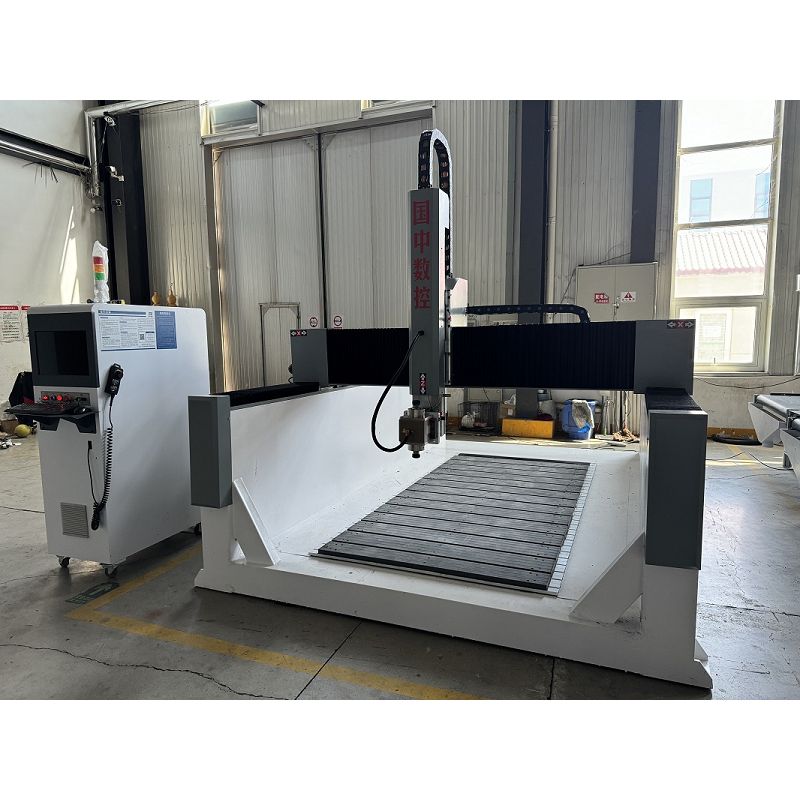
A 3 - axis machine is great for simple 2D and some basic 3D cutting tasks. It's relatively easy to operate and more affordable. If you need more complex cuts and can handle a steeper learning curve, a 5 - axis machine is the way to go. It can cut from multiple angles, giving you greater flexibility and precision. The 4 - axis multi - head router is a good middle - ground, offering more functionality than a 3 - axis but not as complicated as a 5 - axis.
2. Select the Appropriate Cutting Tools
The cutting tools you use can make or break your cutting quality. There are a variety of tools available, such as end mills, ball nose cutters, and drill bits. The choice depends on the material you're cutting and the type of cut you want to make.
For soft materials like wood or plastic, high - speed steel (HSS) tools might be sufficient. They're cost - effective and can get the job done. But for harder materials like metal, carbide - tipped tools are a better option. They're more durable and can maintain their sharpness for longer, resulting in cleaner cuts.
Also, make sure to keep your cutting tools sharp. Dull tools can cause rough cuts, burning, and even damage to the material. Regularly inspect your tools for wear and replace them when necessary.
3. Optimize the Cutting Parameters
Getting the cutting parameters right is essential for good cutting quality. The main parameters include spindle speed, feed rate, and depth of cut.
The spindle speed refers to how fast the cutting tool rotates. It should be adjusted according to the material and the tool being used. For example, when cutting wood, a lower spindle speed might be appropriate to prevent burning. On the other hand, when cutting metal, a higher spindle speed can help achieve a smoother cut.
The feed rate is how fast the material moves under the cutting tool. If the feed rate is too high, the tool might not be able to remove the material properly, leading to rough cuts. If it's too low, it can waste time and cause over - heating of the tool. You need to find the sweet spot based on your material and tool.
The depth of cut is how deep the tool penetrates into the material with each pass. A large depth of cut can save time but might also put more stress on the tool and the machine. A smaller depth of cut can result in a smoother finish but will take longer. You'll need to balance these factors to get the best results.
4. Ensure Proper Material Fixing
If the material isn't fixed properly, it can move during the cutting process, leading to inaccurate cuts. There are several ways to fix the material, such as using clamps, vacuum tables, or double - sided tape.
Clamps are a simple and effective way to hold down the material. Make sure to place them evenly around the material to prevent it from warping or shifting. Vacuum tables are great for flat materials. They use suction to hold the material in place, providing a secure and even grip. Double - sided tape can be used for smaller or thinner materials.
5. Maintain the Machine Regularly
Regular maintenance of your multi head CNC router is crucial for consistent cutting quality. This includes cleaning the machine, lubricating moving parts, and checking the alignment.
Clean the machine after each use to remove any debris or dust. This can prevent the build - up of dirt, which can affect the performance of the machine. Lubricate the linear guides, ball screws, and other moving parts as recommended by the manufacturer. This will reduce friction and wear, ensuring smooth operation.
Check the alignment of the machine regularly. Misaligned axes can cause inaccurate cuts. You can use a dial indicator or other alignment tools to make sure everything is in place. If you notice any issues, make the necessary adjustments or contact a professional for help.
6. Use Quality Software
The software you use to control the CNC router plays a big role in cutting quality. Good software allows you to create accurate toolpaths, simulate the cutting process, and make adjustments easily.
There are many CNC software options available, both free and paid. Some popular ones include Fusion 360, Vectric Aspire, and Mach3. These software packages offer a wide range of features, such as 3D modeling, toolpath generation, and post - processing.
When choosing software, make sure it's compatible with your machine and has the features you need. Spend some time learning how to use the software effectively. There are usually online tutorials and forums where you can get help and tips from other users.
7. Consider the Environment
The environment in which the CNC router operates can also affect cutting quality. Temperature and humidity can cause the material to expand or contract, leading to dimensional changes. Try to keep the operating environment as stable as possible.
If the room is too hot, the machine components might overheat, affecting their performance. If it's too cold, the lubricants might thicken, causing problems with the moving parts. Also, dust and debris in the air can get into the machine and damage the components. Consider using a dust collection system to keep the environment clean.
8. Conduct Test Cuts
Before starting a large - scale project, it's a good idea to conduct test cuts on a small piece of the same material. This allows you to fine - tune your cutting parameters and make sure everything is working properly.
During the test cut, pay attention to the quality of the cut, the surface finish, and any signs of problems like burning or chipping. Make adjustments to the spindle speed, feed rate, or other parameters as needed. Once you're satisfied with the test cut, you can proceed with the full - scale project with more confidence.
9. Train Your Operators
Even the best machine and tools won't perform well if the operators don't know how to use them properly. Make sure your operators are well - trained on the machine, the software, and the safety procedures.
Provide comprehensive training programs that cover everything from basic operation to advanced programming. Encourage your operators to keep learning and stay updated on the latest techniques and technologies. A skilled operator can make a huge difference in the cutting quality and overall productivity of your business.
Conclusion
Improving the cutting quality of a multi head CNC router involves a combination of choosing the right machine, selecting appropriate cutting tools, optimizing cutting parameters, and maintaining the machine properly. By following these tips, you can achieve cleaner, more precise cuts and increase the efficiency of your production process.
If you're interested in purchasing a multi head CNC router or have any questions about improving cutting quality, feel free to reach out. We're here to help you find the best solution for your needs and ensure that you get the most out of your investment.
References
- CNC Machining Handbook
- Online forums and communities for CNC router users
- Manufacturer's manuals for multi head CNC routers and cutting tools


