

Hey there! As a supplier of multi head CNC routers, I often get asked about how to adjust the cutting depth of these awesome machines. It's a crucial aspect that can significantly impact the quality of your work, so I'm here to break it down for you in a simple and easy - to - understand way.
First off, let's talk about why adjusting the cutting depth is so important. The right cutting depth ensures that your cuts are clean, precise, and consistent. If the cutting depth is too shallow, you might not cut through the material completely, leading to uneven surfaces and a lot of extra work. On the other hand, if it's too deep, you could damage the material, the router bit, or even the machine itself.
Understanding Your Machine
Before you start adjusting the cutting depth, you need to have a good understanding of your multi head CNC router. Different models may have slightly different ways of adjusting the depth, but the basic principles are usually the same.
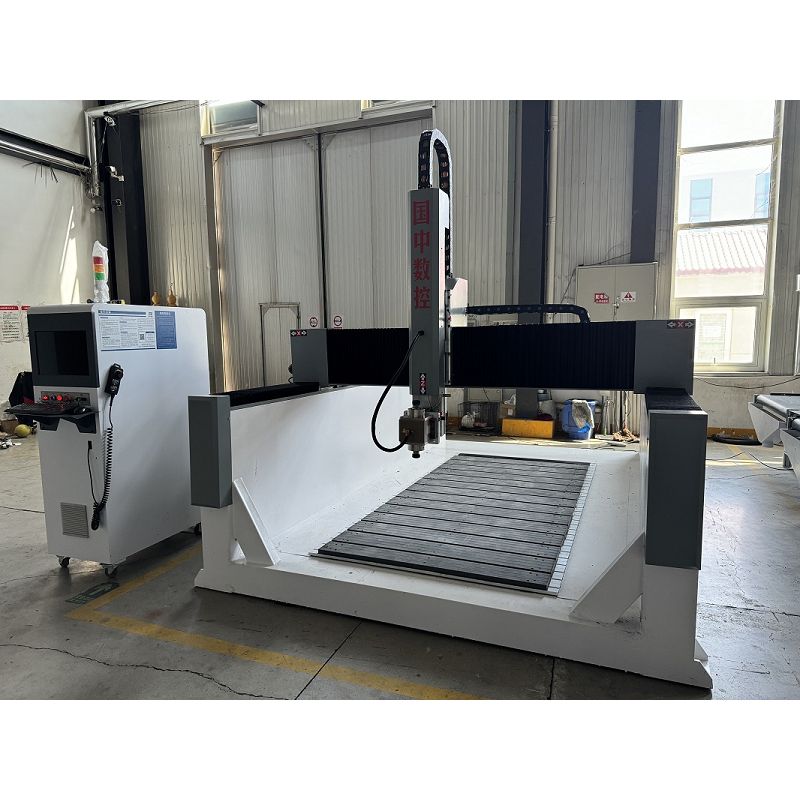
Most multi head CNC routers come with a control panel. This panel is your gateway to adjusting various settings on the machine, including the cutting depth. On the control panel, you'll find buttons or a touch - screen interface that allows you to input the desired cutting depth. Some routers also have a digital readout that shows you the current depth setting, which is super handy.
Pre - Setup Checks
Before making any adjustments, there are a few pre - setup checks you should do. First, make sure the machine is turned off and unplugged. This is a safety measure to prevent any accidental starts while you're working on the settings.
Next, check the router bit. The type and size of the router bit you're using can affect the cutting depth. For example, a larger diameter bit might require a different cutting depth compared to a smaller one. Also, make sure the bit is properly installed and tightened. A loose bit can cause vibrations and inaccurate cuts.
Adjusting the Cutting Depth
Now, let's get into the actual process of adjusting the cutting depth.
Manual Adjustment
Some multi head CNC routers allow for manual adjustment of the cutting depth. This is usually done by turning a knob or a screw on the router head. To do this, you'll need to loosen a locking mechanism first. Once the locking mechanism is loose, you can turn the knob or screw to raise or lower the router head.
As you turn the knob, keep an eye on the digital readout (if your machine has one) or use a measuring tool like a caliper to measure the distance between the router bit and the material surface. This will help you set the exact cutting depth you need. Once you've set the depth, tighten the locking mechanism to secure the router head in place.
Software - Based Adjustment
Many modern multi head CNC routers use software to control the cutting depth. This is a more precise and convenient way of making adjustments.
First, you'll need to open the CNC router software on your computer. Connect your computer to the router using a USB cable or a network connection. Once the software is open, you'll see a section where you can input the cutting depth.
You can usually enter the depth in millimeters or inches, depending on your preference. Some software also allows you to set different cutting depths for different parts of the design. For example, if you're cutting a complex shape with different thicknesses, you can specify different depths for each section.
After entering the cutting depth, double - check the settings to make sure they're correct. Then, save the settings and send them to the router. The router will then adjust the cutting depth automatically based on the settings you've provided.
Testing the Cutting Depth
Once you've adjusted the cutting depth, it's important to test it before starting a full - scale project. Take a scrap piece of the same material you'll be using for your project and run a test cut.
Check the cut to see if it's the right depth. If the cut is too shallow, you can go back to the control panel or software and increase the depth slightly. If it's too deep, decrease the depth. Repeat the test cut until you get the perfect depth.
Factors Affecting Cutting Depth
There are several factors that can affect the cutting depth of a multi head CNC router.
Material Type
Different materials have different hardness and density, which can affect how easily they can be cut. For example, cutting through hardwood like oak will require a different cutting depth compared to cutting through softwood like pine. Harder materials usually require a shallower cutting depth to prevent the router bit from getting overloaded.
Router Bit Speed
The speed at which the router bit rotates can also affect the cutting depth. A higher bit speed can allow for a deeper cut, but it also increases the risk of burning the material. On the other hand, a lower bit speed might require a shallower cut to ensure clean and accurate results.
Feed Rate
The feed rate is the speed at which the material moves under the router bit. A higher feed rate might require a shallower cutting depth, while a lower feed rate can allow for a deeper cut. Finding the right balance between the feed rate and the cutting depth is crucial for achieving the best results.
Recommended Router Models
If you're in the market for a multi head CNC router, we have some great options for you. Check out our Automatic Tool Changer CNC Router Machine. This machine is equipped with an automatic tool changer, which allows for quick and easy tool changes, saving you a lot of time.
Another great option is the 1325 CNC Wood Router. It's specifically designed for woodworking projects and offers excellent precision and cutting performance.
For more complex projects, our 5 Axis CNC Router Machine is a top - notch choice. It allows for cutting in multiple directions, giving you more flexibility and creativity in your designs.
Conclusion
Adjusting the cutting depth of a multi head CNC router is an important skill that every user should master. By following the steps outlined in this blog, you can ensure that your cuts are clean, precise, and consistent. Remember to do your pre - setup checks, choose the right adjustment method (manual or software - based), and test the cutting depth before starting a full - scale project.
If you have any questions about adjusting the cutting depth or if you're interested in purchasing a multi head CNC router, feel free to reach out. We're here to help you make the most of your CNC routing experience.

References
- "CNC Router Handbook" - A comprehensive guide to CNC router operation and maintenance.
- Manufacturer's manual for multi head CNC routers.


